PC Build Bottlenecks That Kill Gaming Performance (And How to Fix Them)
A gaming computer can look great on paper, with expensive, powerful parts, and still perform poorly once you actually load up a game. If this sounds familiar, you are far from alone. Many gamers spend good money on their setup, only to run into low frame rates, stuttering, or unstable gameplay that leaves them confused and frustrated.
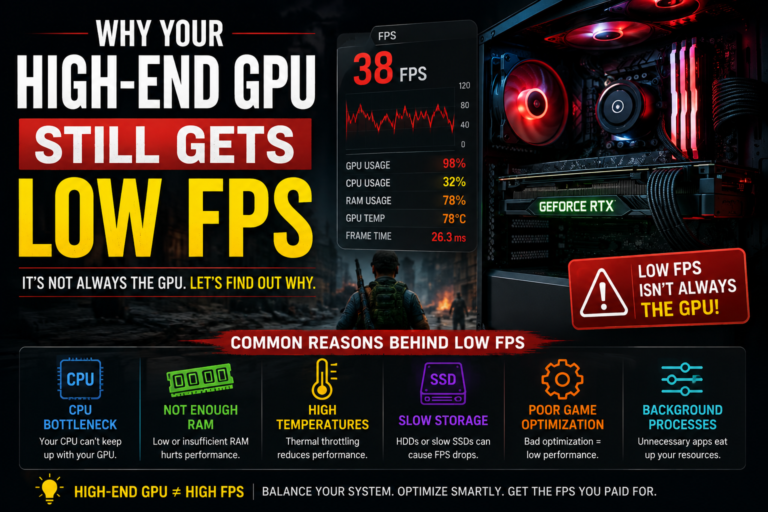
In most of these cases, the real issue is not that your computer is somehow bad. The real issue is one or more hidden PC build bottlenecks quietly holding your system back. While many people only think about their processor and graphics card, real bottlenecks can also come from memory setup, graphics memory limits, slow storage, overheating, weak power delivery, and even simple software problems.
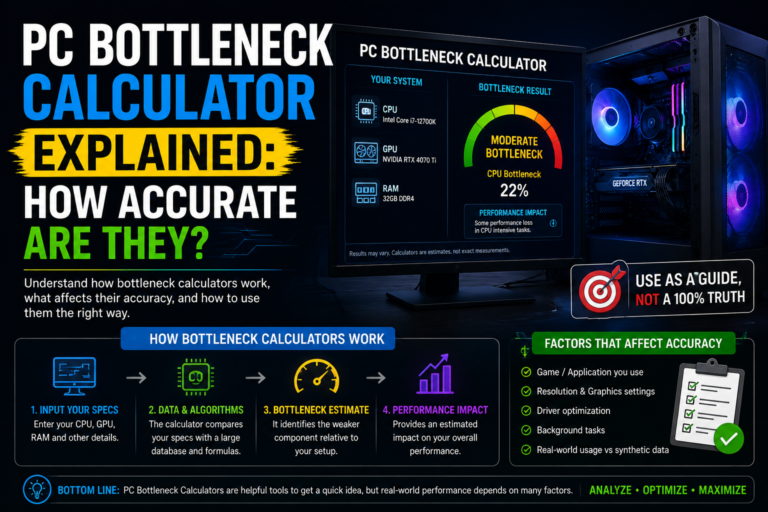
In this guide, we will walk through every major type of bottleneck that can affect a gaming build, explain how to spot each one, and show you simple ways to fix them. We will keep everything simple and easy to follow.
What Does a Bottleneck Actually Mean in a Gaming PC?
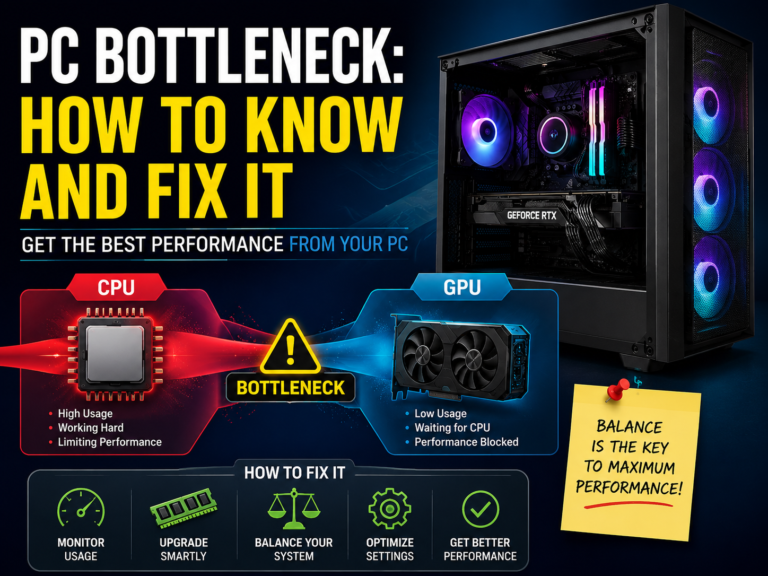
A bottleneck happens whenever one single part of your computer cannot keep up with the rest of your system. Because of this, your whole system is forced to slow down and wait on that one weaker part, no matter how strong everything else might be.
This creates a few important patterns worth understanding. A powerful graphics card can still be held back by a weak or overloaded processor. A strong, capable processor can still struggle if your memory is slow or set up incorrectly. And even a genuinely high-end gaming build can lose real performance simply due to overheating, weak power delivery, or background software problems.
It helps to remember that every single computer has some kind of bottleneck. The real goal is not to somehow remove it completely, since that is not realistic, but to understand it and keep it from seriously damaging your actual gaming experience.
The Processor Bottleneck
This is one of the most common performance killers in modern gaming builds. It happens when your processor cannot prepare game information fast enough to keep your graphics card properly fed with work.
You will often notice your graphics card usage staying surprisingly low, your frame rate not improving even after lowering your graphics settings, and noticeable drops during busy, demanding moments like large crowds, physics-heavy scenes, or hectic multiplayer battles. This type of bottleneck tends to show up most clearly at lower resolutions combined with high target frame rates.
To help with this, consider upgrading to a stronger processor if your testing confirms this is truly your limit. In the meantime, try reducing processor-heavy settings like crowd density, draw distance, and physics detail, closing unnecessary background programs, and keeping an eye on your temperatures and clock speeds.
The Graphics Card Bottleneck
A graphics card bottleneck simply means your graphics card is working at its full capacity. Importantly, this is actually a completely normal and expected situation in many demanding games.
It only becomes a real problem when your frame rate drops too low for comfortable play, or when your frame delivery feels unstable and uneven. Signs of this include your frame rate increasing noticeably when you lower your graphics settings, stuttering appearing when you turn on advanced lighting effects, and your graphics card running especially hot with loud fan noise.
To ease this kind of bottleneck, try lowering your resolution or overall graphics quality, using any built-in performance-boosting features your game supports, reducing especially demanding visual effects, and improving the airflow and cooling around your graphics card.
The Graphics Memory Bottleneck
This type of bottleneck is separate from your graphics card’s raw processing power, and it often causes a quieter, sneakier kind of stutter. Your graphics card also has its own dedicated memory, and when that memory fills up completely, your system is forced to constantly move information in and out, which causes texture pop-in, sudden hitching, and sharp, uneven frame timing.
This issue tends to show up most often in modern, visually detailed games, especially when playing at higher resolutions. To help manage it, try lowering your texture quality, avoiding extremely high-resolution texture packs if your graphics card has limited memory, closing heavy background programs, and choosing a graphics card with enough dedicated memory for your intended resolution in the first place.
The System Memory Bottleneck
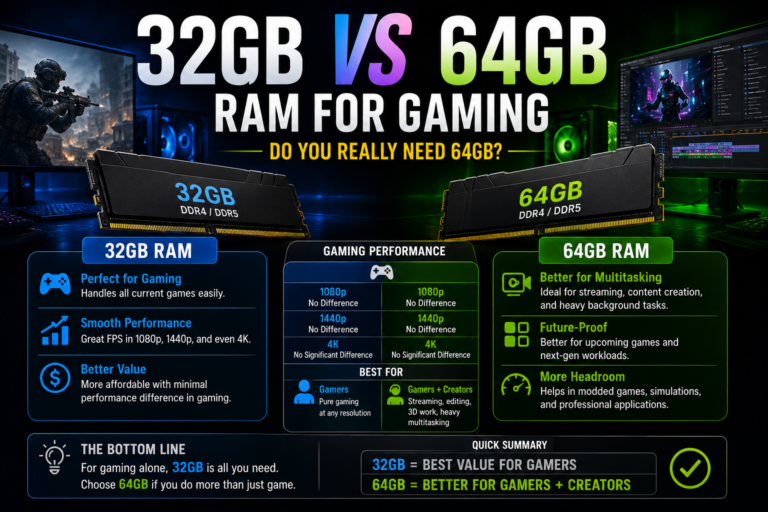
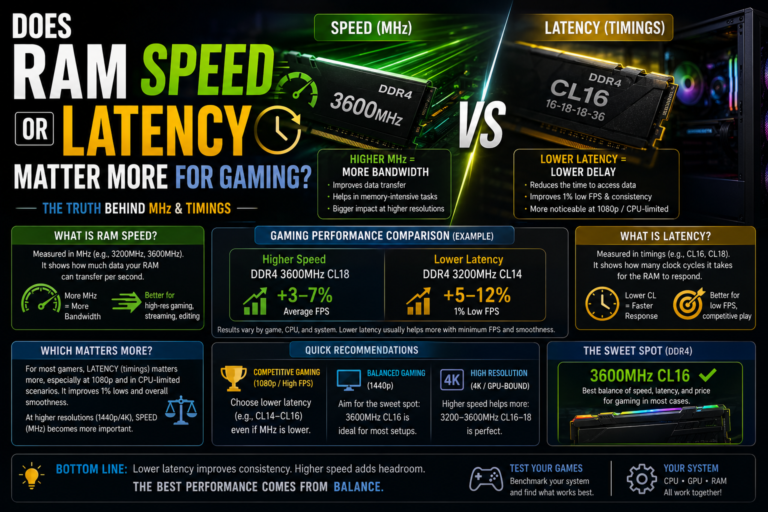
Many gaming computers underperform simply because of how their system memory is set up, rather than because of the parts themselves. Common issues include having a very small total amount installed, memory running in a slower single-channel setup instead of a proper dual-channel one, or a helpful memory speed setting being left switched off.
These issues often lead to poor performance during your game’s roughest, most demanding moments, along with general stuttering and slower loading of game assets. To fix this, aim for a comfortable, modern amount of total memory, always confirm dual-channel mode is properly enabled, turn on your system’s memory speed setting within your basic system settings, and avoid mixing mismatched memory kits together.
The Storage Bottleneck
Your storage drive rarely has a big effect on your average frame rate number, but it strongly affects how smooth your overall experience actually feels. A slow storage drive can lead to long loading screens, visible texture pop-in, and noticeable stuttering during fast movement through a game world, since modern games are constantly streaming in new information as you play.
To address this, install your games on a fast storage drive rather than an older, slower type, keep a reasonable amount of free space available on that drive, avoid running modern, demanding games from very old, slow drives, and keep your storage-related drivers up to date.
The Thermal Bottleneck
Overheating is one of the most commonly overlooked bottlenecks of all. When your hardware gets too hot, it automatically slows itself down to protect itself, a process often called throttling, and your clock speeds, along with your frame rate, gradually drop as a result.
Common warning signs include your performance noticeably dropping after several minutes of continuous play, large swings in your clock speed, and fans running loudly while temperatures climb higher than usual. To fix this, improve the airflow inside your computer case, consider upgrading your cooling setup, replace old, dried-out thermal paste if your system is several years old, and regularly clean out built-up dust from your fans and filters.
The Power Delivery Bottleneck
A weak or lower-quality power supply can genuinely limit your gaming performance, even when every other part of your build looks perfectly capable on paper. This can lead to sudden frame rate dips, unexpected crashes, brief black screens, and unwanted throttling, since modern graphics cards can draw short, extreme bursts of power during intense gaming moments.
To avoid this issue, choose a reliable, well-reviewed power supply, leave yourself some comfortable extra wattage headroom beyond your system’s minimum requirement, avoid unfamiliar, budget brands with a poor reputation, and double-check that all your cables and connectors are properly and securely attached.
The Software and Driver Bottleneck
Not every bottleneck comes from your physical hardware at all. Outdated drivers, pending system updates, heavy background tools, and always-on overlays can all quietly reduce your gaming performance. Stuttering caused by behind-the-scenes shader preparation is also a common issue in many newly released games.
To help with this, keep your graphics drivers fully updated, limit how many programs automatically launch when your computer starts up, turn off unnecessary overlays while gaming, and consider testing your performance again after a completely clean driver installation.
Why Your Average Frame Rate Does Not Tell the Whole Story
Smooth, enjoyable gameplay depends far more on frame consistency than it does on one single average frame rate number. Many of the bottlenecks covered in this guide show up first in your lowest, roughest gameplay moments, long before they noticeably affect your overall average number.
This is exactly why a computer can sometimes show an impressively high average frame rate while still feeling choppy and unpleasant to actually play. Paying close attention to your graphics card usage, your individual processor core usage, your temperatures, your clock speeds, and your memory usage together gives you a much more complete and honest picture of what is truly happening inside your system.
How Your Chosen Resolution Shifts the Bottleneck
Where your true bottleneck sits can shift quite a bit depending on how you choose to play. Gaming at a lower resolution with a very high target frame rate tends to reveal processor-related limits more clearly. Gaming at a moderate resolution often creates a more balanced, mixed type of workload. Gaming at very high resolutions with maximum visual settings tends to shift the primary limit toward your graphics card and its available memory instead.
Raising your resolution generally increases the pressure placed on your graphics card, while lowering it often reveals underlying processor limits that were previously being hidden.
Common Build Mistakes That Quietly Create Bottlenecks
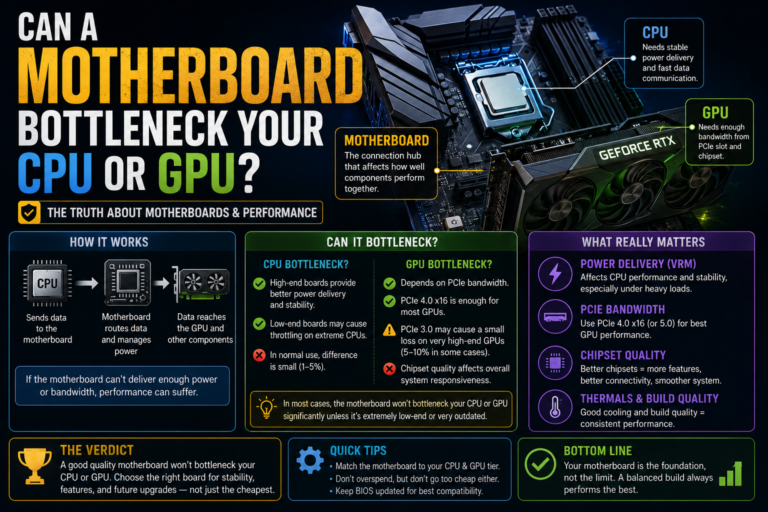
Several avoidable mistakes made during the actual building process often end up creating unnecessary bottlenecks down the road. These include pairing a severely mismatched processor and graphics card together, installing only a single memory stick instead of a proper matched pair, choosing a computer case with genuinely poor airflow, using a motherboard with weak power delivery components, choosing an underpowered or low-quality power supply, and failing to plan out proper cooling from the very beginning.
A genuinely well-balanced system, built thoughtfully from the start, tends to age much more gracefully over time compared to one built around a single, standout part.
How to Actually Find Your Real Bottleneck
Instead of guessing, you can run a simple, practical test on your own system. Play through the same in-game section for a few consistent minutes. While doing this, closely monitor your usage numbers, your clock speeds, your temperatures, and your memory usage. Then, try lowering your resolution or graphics settings and compare the results.
If your frame rate rises noticeably after lowering your settings, your graphics card was likely the true limiting factor. If your frame rate stays roughly the same, your processor or another part of your overall system is more likely the real, underlying cause.
What Should You Actually Upgrade First?
Once you have a clearer picture of your true bottleneck, deciding what to upgrade becomes much easier. If your graphics card usage never climbs very high, your processor or overall platform is likely the true limit. If your graphics memory is full and you are experiencing stutter, your graphics card is likely the issue. If you experience stuttering despite a stable overall frame rate, your memory or storage setup deserves a closer look. If your performance drops after longer play sessions, cooling is likely your true problem. And if you are experiencing random crashes or black screens, your power supply or your drivers are worth investigating first.
The most important rule here is simple: never upgrade blindly. Always identify your true bottleneck first, through real testing, before spending any money.
A Simple Checklist Before You Upgrade Anything
Before reaching for your wallet, it is worth confirming a few basic things first. Check that dual-channel memory mode is properly enabled, that you have a genuinely comfortable total amount of memory installed, that your games are installed on a fast storage drive, that your temperatures stay well controlled during gameplay, that your power supply has good quality and enough headroom, that your drivers are fully updated, and that your case airflow is clean and unobstructed.
For a surprising number of gamers, working through this simple checklist alone resolves most of their real-world performance problems, often without spending any money on new hardware at all.
Final Thoughts
Understanding the true PC build bottlenecks behind poor gaming performance changes everything about how you approach fixing your system. Real-world gaming problems are rarely caused by just one single “bad” part. More often, they come from a combination of hidden issues, like memory setup, graphics memory limits, overheating, unstable power delivery, or simple software problems, that can easily go unnoticed if you only ever look at your average frame rate number.
Once you understand these different types of bottlenecks, you can stop guessing and start genuinely testing your own system instead. By carefully monitoring your hardware, correctly identifying your true weak point, and upgrading with real purpose and confidence, you can finally fix stubborn stutter, stabilize your frame timing, and unlock the real, full performance your hardware was truly capable of delivering all along.