32GB vs 64GB RAM for Gaming: Which One Actually Makes Sense?
Picking between 32GB vs 64GB RAM for gaming is one of those decisions that seems simple at first, until you actually start shopping. Many new gaming computers now list 64GB as an available option, almost as if it has quietly become the new normal. This leaves a lot of gamers wondering whether they are missing out by sticking with a smaller amount, or whether they would just be wasting money by buying more than they need.
The good news is that this question has a fairly clear, practical answer once you understand how these two amounts actually compare in real gaming use. In this guide, we will walk through exactly what changes between these two options, and help you figure out which one truly fits the way you use your computer. We will keep everything simple and easy to follow.
Why This Comparison Confuses So Many Gamers
Part of the confusion comes from how memory is often marketed. A larger number on a product listing naturally feels like a better choice, especially when it is placed right next to a smaller one at a similar price.
But computer memory does not work quite like that. Having more of it only helps you if your computer actually needs to use it. If your games and programs never come close to filling up a smaller amount, having double that amount sitting there does nothing extra for your actual gameplay.
Understanding this idea is the real key to answering this comparison honestly, instead of just assuming that bigger always means better.
What Actually Happens Behind the Scenes
To understand this comparison properly, it helps to know what memory is doing while you play a game. Your memory temporarily holds information that your game, your operating system, and any other open programs need quick access to while they are actively running.
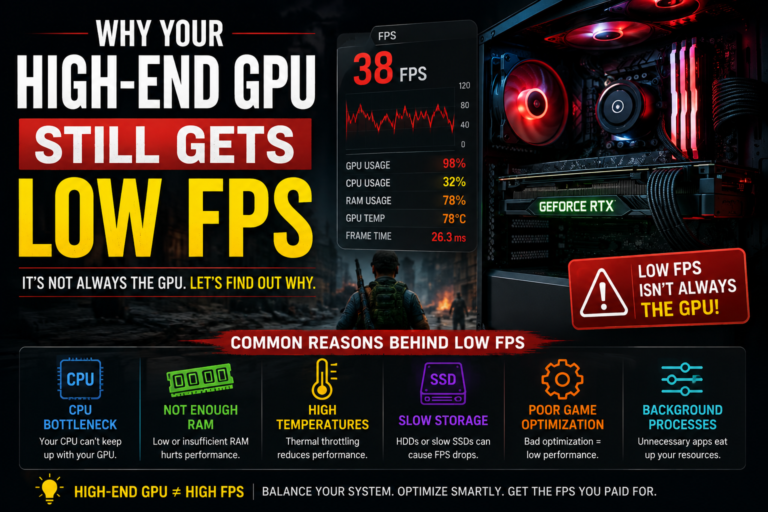
When there is enough available memory, everything runs smoothly, since your computer can access what it needs almost instantly. When memory runs low, your computer is forced to borrow space from your storage drive instead, which is a much slower process. This is usually what causes the stuttering, freezing, or slowdown that people often blame on other parts of their system.
The real question in this comparison, then, is simple: does gaming alone actually use enough memory to make a larger amount worth choosing?
How Much Memory Does Gaming Alone Actually Need?
For the vast majority of games, even fairly demanding ones, memory use tends to stay within a moderate range. Fast, competitive games generally use less. Larger, more visually detailed games use somewhat more. Even heavy, open-world style games rarely push memory usage into extremely high territory during normal play.
Because of this, a smaller amount of memory can often comfortably handle a single running game with a bit of room to spare. Meanwhile, a much larger amount often sits mostly untouched during that same gaming session, simply because the game itself never asks for that much in the first place.
Where the Real Difference Actually Shows Up
If gaming alone rarely uses a huge amount of memory, does that mean a larger amount is completely pointless? Not exactly. The real difference between these two options shows up once you start combining gaming with other tasks at the same time.
Running a voice chat program alongside your game adds a bit of extra memory demand. Keeping several web browser tabs open adds more. Recording or streaming your gameplay adds a noticeable amount on top of that. Using heavy visual modifications, running creative software in the background, or working with large project files all add even more demand.
In these combined, multitasking situations, a larger amount of memory genuinely starts to matter, since your computer needs enough available space to hold everything at once, without being forced to slow down and borrow space from your storage drive.
Does the Larger Option Actually Improve Gaming Performance?
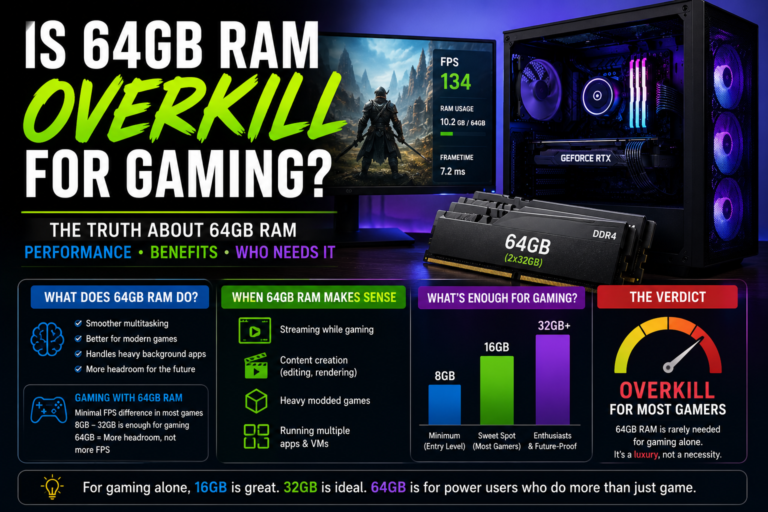
This is often the part that surprises people the most. In pure, single-game testing, moving from a moderate amount of memory up to a much larger amount typically does not meaningfully change your frame rate, your visual quality, or your loading times.
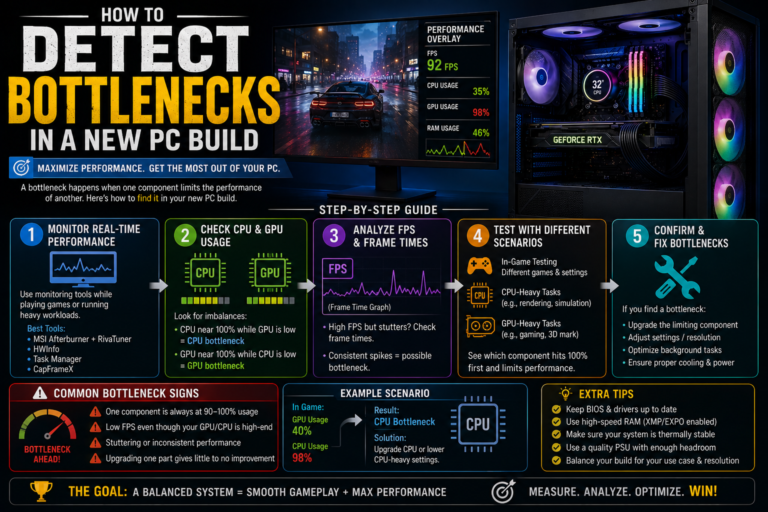
Your gaming performance is mainly controlled by your processor, your graphics card, and your storage drive speed. Memory capacity only becomes a limiting factor once it actually runs out. If a moderate amount already comfortably covers your game and your typical background programs, adding even more on top of that does not unlock any hidden extra performance.
What You Would Actually Notice in Real Use
It helps to think about this in terms of what you would genuinely notice while actually using your computer, rather than just comparing numbers on a spec sheet.
Moving up from a smaller, tighter amount of memory to a comfortable, moderate amount often brings noticeable real-world improvements, like fewer random stutters, smoother switching between different windows or programs, and better overall stability while multitasking.
Moving from that same comfortable, moderate amount up to a much larger amount, purely for gaming purposes, typically brings very little noticeable change at all. Your frame rate stays about the same, your gameplay does not feel any smoother, and your loading times remain unchanged.
The Graphics Card Connection
Your graphics card plays an important supporting role in this comparison as well. When a graphics card has a smaller amount of its own dedicated memory, some visual textures and game assets can end up spilling over into your regular system memory instead.
This means a graphics card with limited dedicated memory tends to lean more heavily on your system memory, which makes having a comfortable, moderate amount of system memory more important. However, this connection still does not necessarily push you all the way toward needing the much larger option, unless you are also combining gaming with other heavy tasks at the same time.
When the Larger Option Genuinely Makes Sense
The larger memory option becomes a smart, justified choice specifically when gaming becomes just one part of a much bigger overall workload.
This includes situations where you regularly stream or record your gameplay, run recording software with multiple sources active at once, use very large modification lists or texture packs, keep many browser tabs open constantly while gaming, edit videos or photos regularly, work with game development or 3D creation tools, run virtual systems alongside your game, or play large, demanding simulation games while heavily multitasking at the same time.
In these specific situations, the extra memory is not wasted at all. Instead, it acts as a kind of safety cushion, helping your entire system stay stable and responsive under genuinely heavy, combined pressure.
A Simple Way to Decide Between the Two
If your computer use mostly involves playing games, chatting with friends, and casual browsing, the moderate, smaller option is very likely the smarter and more cost-effective choice for you.
If your computer use regularly combines gaming with streaming, heavy modding, creative work, or other demanding background tasks running at the same time, the larger option becomes a genuinely practical investment that will actually get used.
The honest way to decide is not by choosing whichever number sounds more impressive, but by thinking carefully about how you actually use your computer on a normal, everyday basis.
A Note on How Your Memory Is Physically Set Up
Beyond just the total amount you choose, how that memory is physically installed can also matter for gaming stability. Systems generally run more smoothly and stably using two matching memory sticks, rather than four separate sticks.
If you do decide the larger option is right for you, using two larger sticks together, rather than four smaller ones, is generally the more stable and dependable way to reach that same total capacity.
Where Your Money Might Be Better Spent Instead
If your main goal is genuinely better gaming performance, and you are trying to decide where to put your available budget, it is worth remembering that your processor, your graphics card, and your storage drive typically have a much more direct and noticeable impact on your actual gameplay experience.
Choosing the smaller, more cost-effective memory option and putting the money you save toward a stronger graphics card or a faster storage drive often leads to a much more noticeable real-world improvement than simply doubling your memory capacity ever would on its own.
Final Thoughts
So, between 32GB vs 64GB RAM for gaming, which one actually makes sense? For the vast majority of gamers, the moderate, smaller option remains the smarter, more practical choice. It comfortably handles modern games, typical background programs, and everyday multitasking, all without leaving a large portion of your investment sitting unused.
The much larger option only becomes genuinely worthwhile once gaming is combined with other demanding tasks, like streaming, heavy modding, or creative work happening at the same time. Rather than assuming that a bigger number automatically means better gaming performance, the smartest approach is to honestly match your memory choice to how you actually use your computer, and put any extra budget toward the parts that will make a real, noticeable difference in your everyday gameplay.